 100% 무료
Fourfold Ribbon Rings for PowerPoint and Google Slides
Download our free Fourfold Ribbon Rings diagram for PowerPoint and Google Slides. Designed to simplify complex topics and enhance your presentations.
템플릿 상세
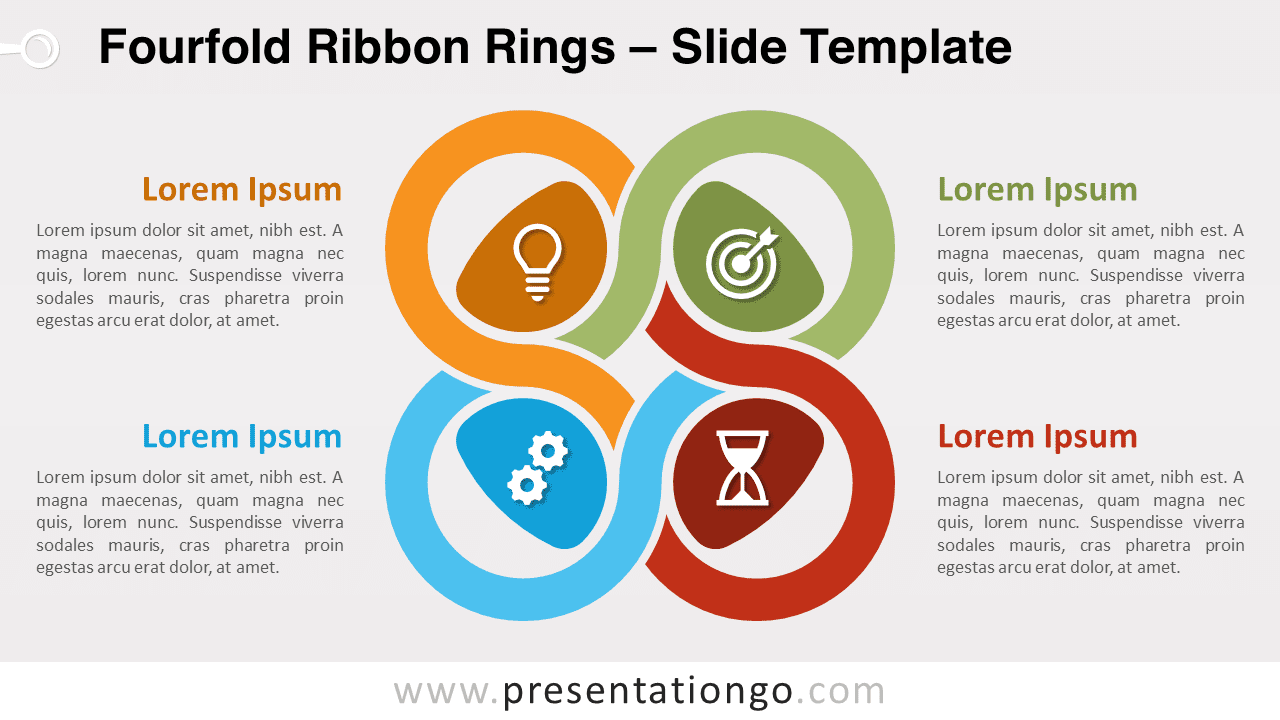
Explore the Fourfold Ribbon Rings, an innovative, visually striking diagram designed for PowerPoint and Google Slides. With four interlocking ribbon knots, it effortlessly portrays interconnected topics or stages. Ideal for presenting complex project plans, research data, or business strategies. Embrace innovation in your presentations with our “Fourfold Ribbon Rings” diagram, tailored specifically for PowerPoint and Google Slides. Composed of four intertwined, ribbon-like knots, the illustration cleverly incorporates visual elements to assist you in delivering complex information in a captivating and easy-to-grasp manner. Each knot represents a unique topic or element and houses an icon or number to represent it visually. Arrange them like a quadrant or interpret them as interlocking infinity symbols – the choice is yours. Notably, each knot is accompanied by a text placeholder, which serves as a concise descriptor of the designated topic. Ideal for simplifying complex topics or creating compelling narratives, this diagram can easily streamline discussions on project management stages, research findings, or business strategies. With its unique design, it can effectively convey the interconnected nature of your topics, whether in a corporate, academic, or creative context. Designed with your convenience in mind, you can effortlessly customize the colors and icons of the Fourfold Ribbon Rings. This way, it aligns perfectly with your presentation’s color scheme and subject matter. So, don’t wait up – download our Fourfold Ribbon Rings diagram now and elevate your presentation game!
- 출처
- PresentationGo
- 형식
- pptx
- 파일 크기
- 158 KB
- 다운로드
- 0
- 슬라이드 수
- 2
- 비율
- 16:9
제작자 / 저작권:PresentationGo
원본 링크:PresentationGo original