 100% Free
Increasing Twine Process for PowerPoint and Google Slides
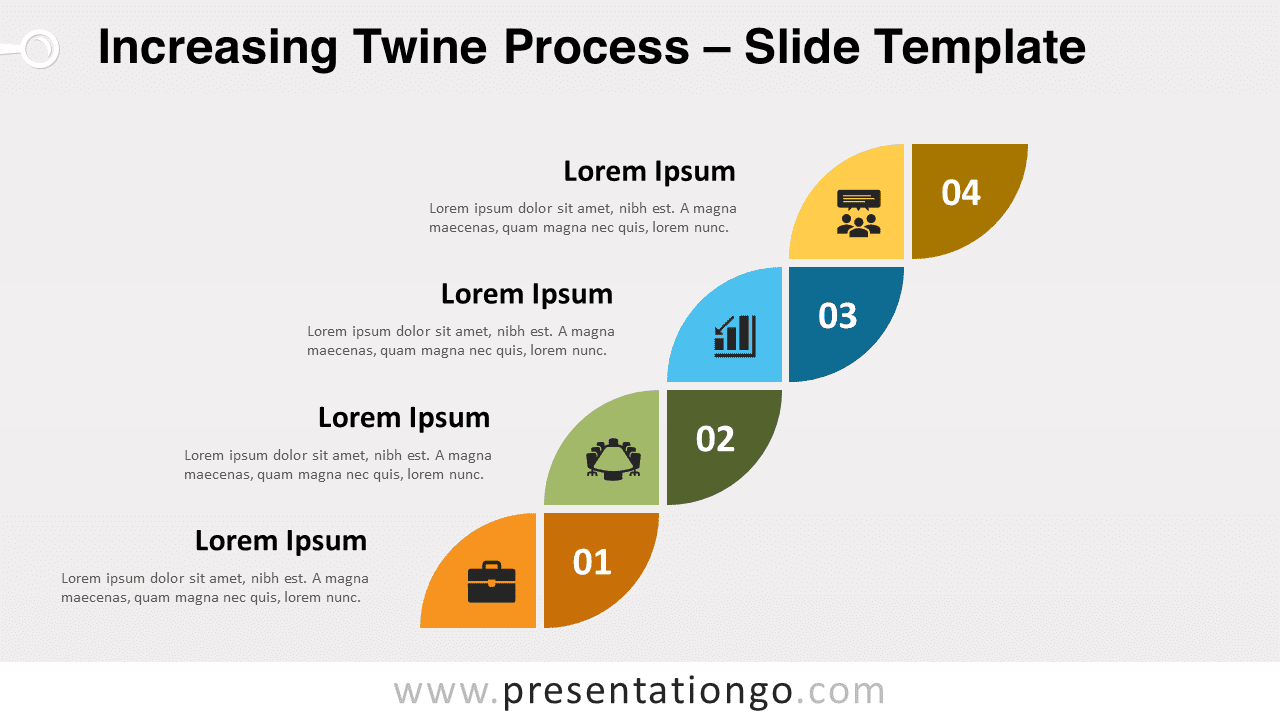
Free increasing twine process for PowerPoint and Google Slides. A simple yet powerful infographic with 8 quarter circles in an diagonal flow.
Template Details
Free increasing twine process for PowerPoint and Google Slides. A simple yet powerful infographic with 8 quarter circles arranged in a diagonal flow. Editable graphics with numbers or letters, icons, and text placeholders. Give an optimistic and solid impression to your public thanks to this free Increasing Twine Process template! Indeed, you can show them the twists and turns that will lead you to success. This simple yet powerful infographic shows 8 quarter circles of distinct colors which form a shape reminiscent of a braid. Each line is made of two shapes of similar color and they represent one of the 4 steps ( 4 options ) in your linear process. On the left quarter-circle, you can insert an icon, and on the right one, a number. Finally, you will find 4 text placeholders on the left to specify your ideas and stages. The twist and twirl shape formed by these quarter pie charts is an original way to present your linear processes. So, trust this free Increasing Twine Process template and download it now!
- Source
- PresentationGo
- Format
- pptx
- File size
- 108 KB
- Downloads
- 0
- Slides
- 2
- Aspect Ratio
- 16:9
Author / Copyright:PresentationGo
Original source:PresentationGo original