 100% 免费
步骤信息图CubePowerPoint谷歌幻灯片
3-Step Infographic Cube for PowerPoint and Google Slides
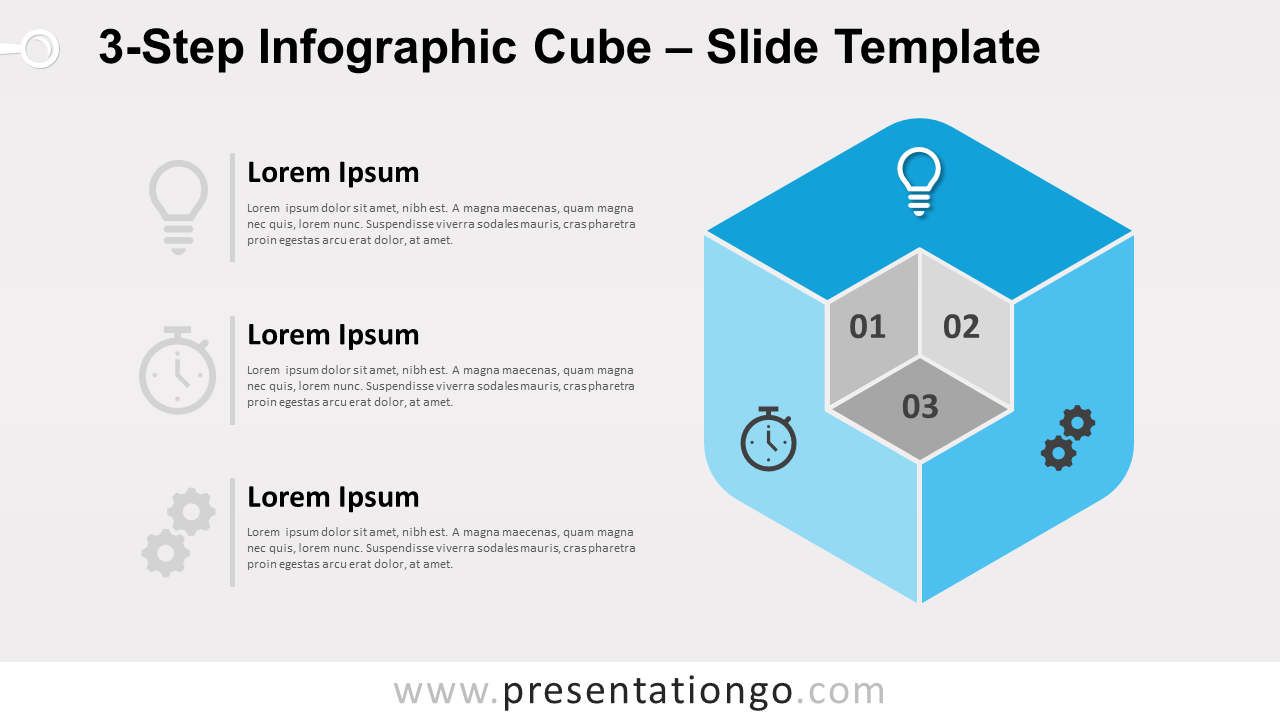
Free 3-step infographic cube for PowerPoint and Google Slides. A 3D cube (or hexagon shape) with a carved corner revealing 3 other faces.
模板详情
Free 3-step infographic cube for PowerPoint and Google Slides. A three-dimensional cube (or hexagon shape) with a carved corner revealing 3 other faces. Editable graphics with numbers, icons, and text placeholders. Do you want to display a list of 3 ideas or elements that are connected like the faces of a cube? One great option is to try our free 3-Step Infographic Cube template. So, load the dice in your favor for a successful presentation! The 3D shape of this slide represents a cube with 3 visible faces (your 3 options), all colored with a different shade of blue. It has an ingenious cut in one corner to form three square faces in which to include a number. You can also insert the 3 icons on the bigger sides of the die to illustrate your ideas. Finally, you can enjoy the elegant text placeholders on the left to write your titles and explanations. You can use this simple yet elegant and efficient infographic to show non-sequential or grouped blocks of information. Enjoy this 3-Step Infographic Cube template for free by downloading it right now!
- 来源
- PresentationGo
- 文件格式
- pptx
- 文件大小
- 166 KB
- 下载次数
- 0
- 幻灯片页数
- 2
- 页面比例
- 16:9
作者 / 版权:PresentationGo
原始出处:PresentationGo 原文