 100% 免费
流程笔记PowerPoint谷歌幻灯片
Bending Process & Notes for PowerPoint and Google Slides
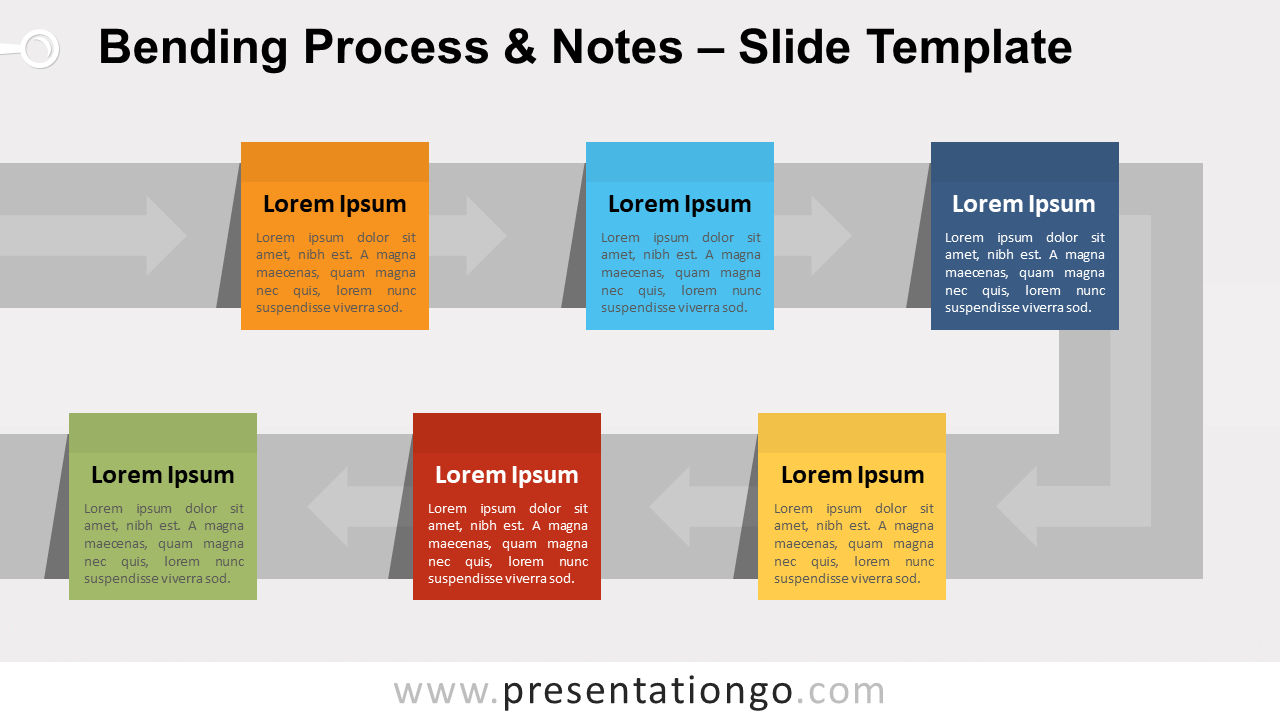
Free bending process and notes for PowerPoint and Google Slides. Horizontal U-turn process diagram with sticky notes. Great to show 6 sequential steps.
模板详情
Free bending process and notes for PowerPoint and Google Slides. Horizontal U-turn process diagram with multicolor sticky notes. Editable graphics with text placeholders. Bending process diagrams shows a continuous flow on different vertical levels. In fact, as a design stand-point, these diagrams optimize both horizontal and vertical display space. Therefore, you will be able to display more events along the process. That can be a huge advantage for using these diagrams in your slides. This bending process follows a horizontal U-turn route. More specifically, the flow starts from the top left to the right and finally ends on the bottom left of the slide. Also, different transparent arrows mark the orientation of the flow. You can remove them if you don’t want to emphasize movement or direction. In addition, multicolor sticky notes are distributed along with the flow. Each one represents a specific event or milestone. You can use this bending process diagram to show a progression or 6 sequential steps in a task, process, or workflow.
- 来源
- PresentationGo
- 文件格式
- pptx
- 文件大小
- 72 KB
- 下载次数
- 0
- 幻灯片页数
- 2
- 页面比例
- 16:9
作者 / 版权:PresentationGo
原始出处:PresentationGo 原文