 100% 免费
流程箭头
Bidirectional Flow Arrow
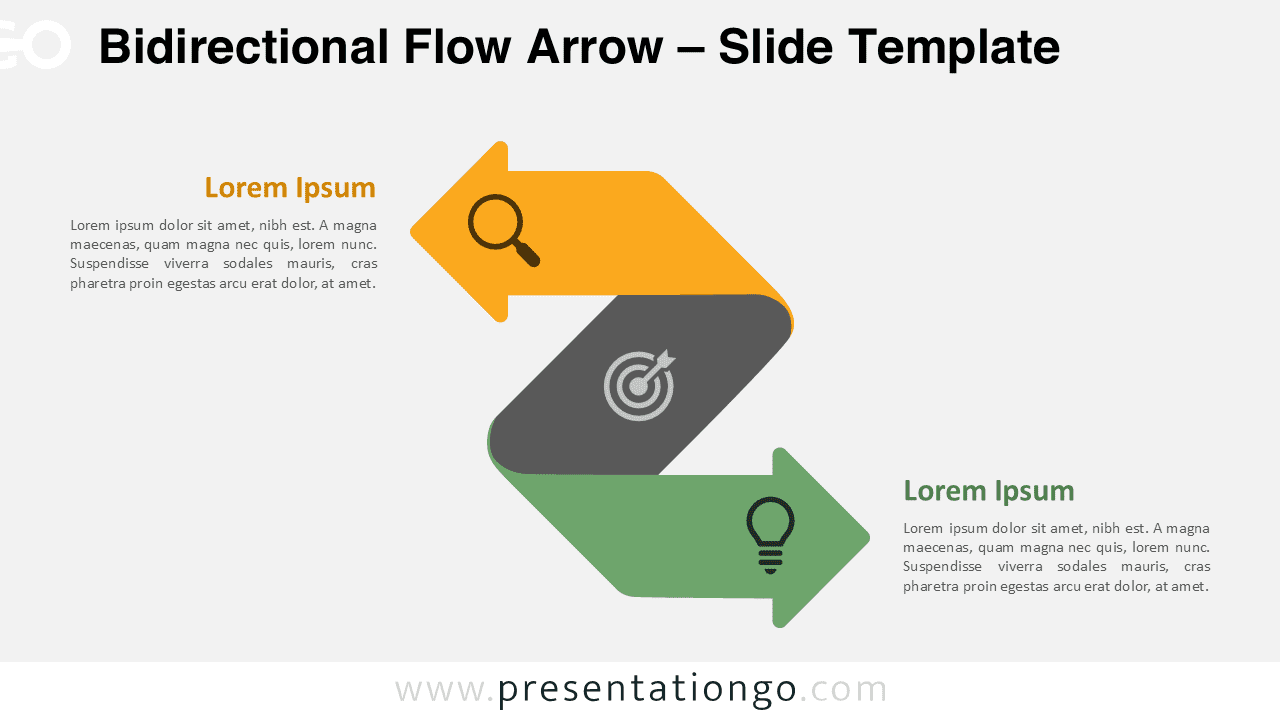
Bidirectional Flow Arrow for PowerPoint & Google Slides. Perfect for comparisons, workflows, and dual concepts with full customization.
模板详情
The Bidirectional Flow Arrow template features a folded two-directional design with customizable elements for PowerPoint and Google Slides, perfect for illustrating dual processes or opposing concepts in professional presentations. This template showcases a distinctive Z-shaped structure with smooth transitions between segments. The central fold creates depth and visual interest, while maintaining professional clarity. Two contrasting arrows point in opposite directions, connected by a sleek central section that emphasizes the relationship between concepts. Presenters can effectively showcase comparative analysis, feedback loops, or cause-and-effect relationships. The template excels in business strategy presentations, process documentation, organizational workflows, and system architecture diagrams. Marketing professionals use it to display customer journeys, while project managers illustrate iterative development cycles. The presentation package includes two unique slides with pre-populated icons and text placeholders. Users gain access to fully customizable shapes for complete control over their message. The template supports both light and dark themes, adapting to various presentation environments. It comes in Standard (4:3) and Widescreen (16:9) ratios, available in PowerPoint PPTX and Google Slides formats.
模板特性
- 2 unique slides
- Options for both light and dark themes
- Pre-populated with icons and text placeholders
- Fully customizable shapes for complete control
- Available in both Standard (4:3) and Widescreen (16:9) ratios
- Offered in both PowerPoint PPTX and Google Slides formats
- 来源
- PresentationGo
- 文件格式
- pptx
- 文件大小
- 142 KB
- 下载次数
- 0
- 幻灯片页数
- 2
- 页面比例
- 16:9
作者 / 版权:PresentationGo
原始出处:PresentationGo 原文