 100% 免费
部分PowerPoint谷歌幻灯片
Camera Shutter with 7 Parts for PowerPoint and Google Slides
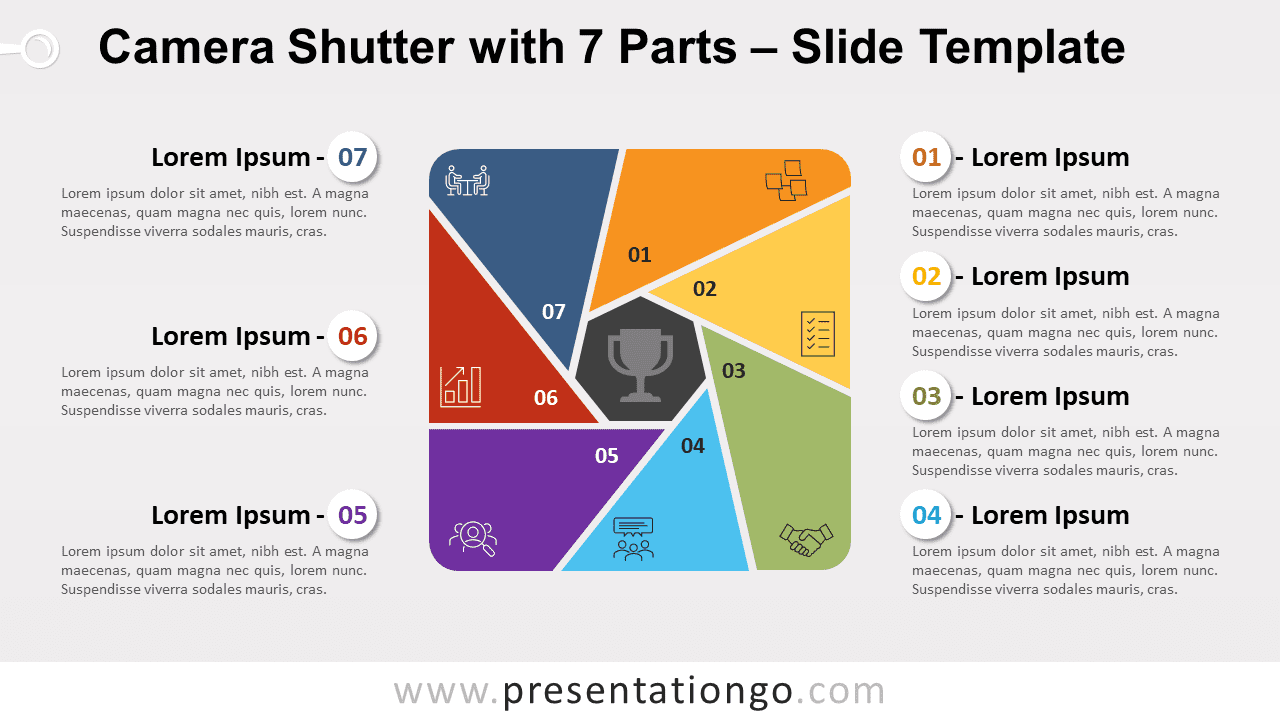
Free camera shutter with 7 parts for PowerPoint and Google Slides. Circular diagram with a dynamic design to showcase 7 options or ideas.
模板详情
Free camera shutter with 7 parts for PowerPoint and Google Slides. Circular diagram with a dynamic design to showcase 7 options or ideas. Editable graphics with numbers, icons, and text placeholders. You know that cameras don’t lie! So why not use this free Camera Shutter template to achieve a picture-perfect presentation! More specifically, this colorful infographic represents a large square. In the center, there is a gray geometrical shape: this is the representation of the lens aperture of your camera, and this is where you can insert an icon to illustrate your central idea. Around it, you will find 7 colorful triangular shapes arranged in a circular manner. These symbolize your 7 options to describe ideas , concepts, or steps in a process. They all have a distinguishable bright color, and it is possible to include icons and numbers inside them. Finally, you can use the text placeholders on each side to describe your stages or ideas with precision. The metaphorical illustration of this slide conveys the notions of precision and vision. Besides, it offers a dynamic layout , ideal to represent the 7 sequential steps in a process, progression, or workflow.
- 来源
- PresentationGo
- 文件格式
- pptx
- 文件大小
- 177 KB
- 下载次数
- 0
- 幻灯片页数
- 2
- 页面比例
- 16:9
作者 / 版权:PresentationGo
原始出处:PresentationGo 原文