 100% 免费
对比PowerPoint谷歌幻灯片
Comparison Frames for PowerPoint and Google Slides
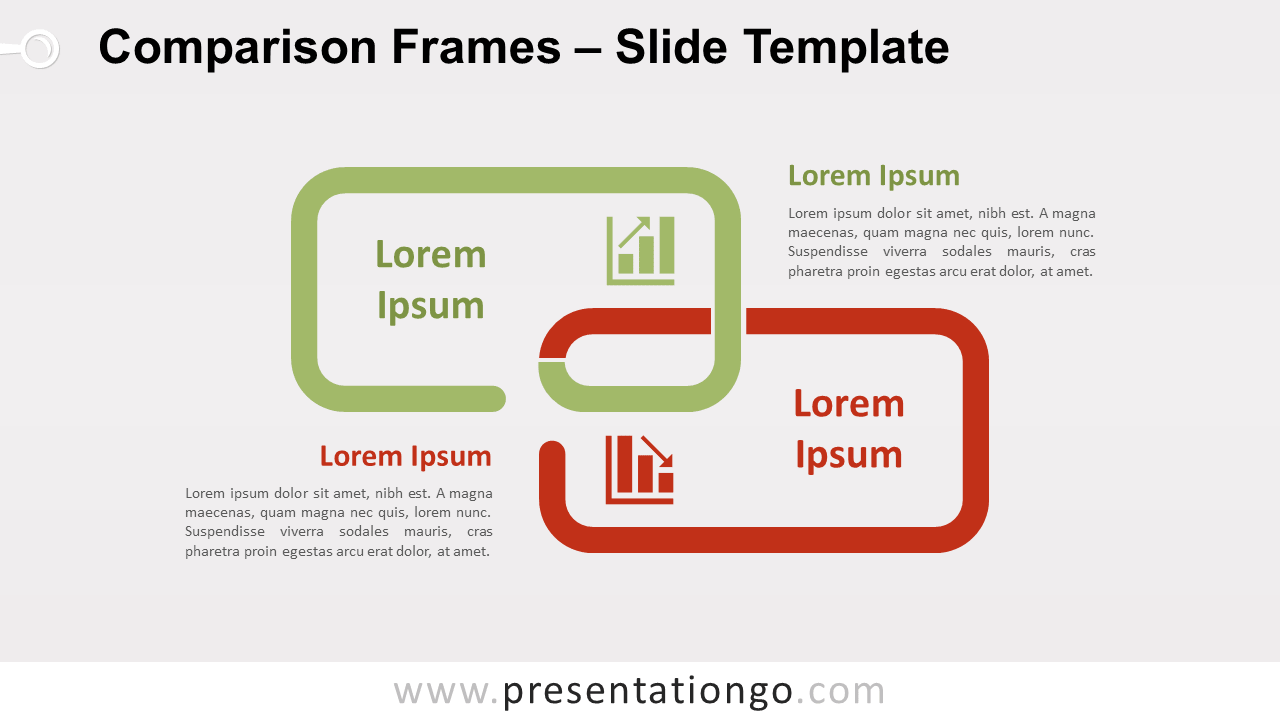
Free comparison frames for PowerPoint and Google Slides. Two connected side-by-side frames. Ideal to compare 2 ideas or concepts.
模板详情
Free comparison frames for PowerPoint and Google Slides. Two rectangular and connected side-by-side frames. Ideal to compare 2 ideas or concepts. Editable graphics with icons and text placeholders. Do you want to change your audience’s frame of mind? Why not offer them this free Comparison Frames template to present your comparisons and opposite ideas? Specifically, the simple yet powerful design of this slide includes two rectangular open frames that are interconnected. Indeed, the green one is at the top while the red one lies below. To represent your 2 options, you can include icons and titles inside each frame. You also have the possibility to develop your ideas, thoughts, or groups of information inside the text placeholders. This free Comparison Frames template is ideal to present two interconnected ideas, one good (positive) and the other bad (negative) while showing the connection between them.
- 来源
- PresentationGo
- 文件格式
- pptx
- 文件大小
- 92 KB
- 下载次数
- 0
- 幻灯片页数
- 2
- 页面比例
- 16:9
作者 / 版权:PresentationGo
原始出处:PresentationGo 原文