 100% 免费
模块流程PowerPoint谷歌幻灯片
Continuous Block Process for PowerPoint and Google Slides
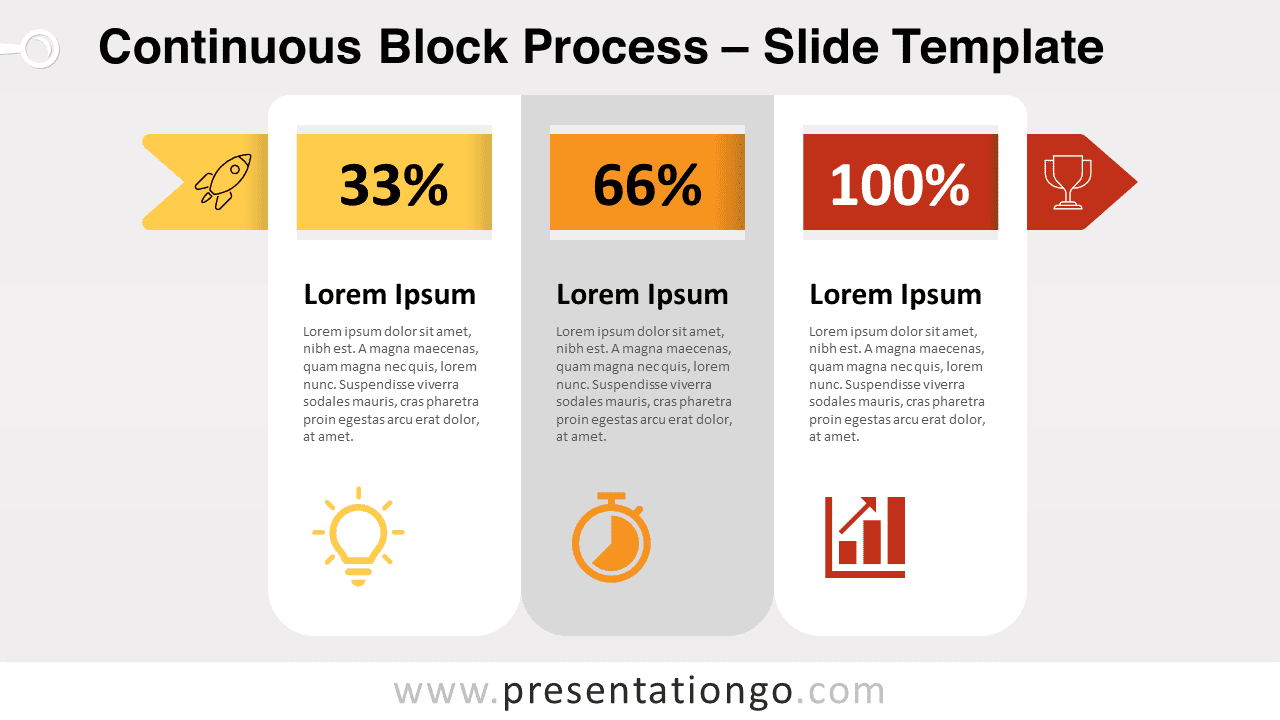
Free continuous block process for PowerPoint and Google Slides. 3 side-by-side vertical text boxes with a window, and an arrow through them.
模板详情
Free continuous block process for PowerPoint and Google Slides. 3 side-by-side vertical text boxes with a window, and a right arrow through them. Editable graphics with numbers, icons, and text placeholders. Text boxes tend to be plain and static. However, this free Continuous Block Process template gives you colors and energy. Indeed, you can present your numeric and written info in a dynamic horizontal progression. More specifically, this infographic slide shows 3 textboxes side by side. You can insert for example a title and a short text just like in a classical text box. On the top, a right arrow goes behind the text boxes. In addition, a small window in each box lets you insert an icon, number, or percentage – thus representing 3 options, for instance, 3 steps of a process. If you wish, you have the possibility to showcase icons at the tail and head of the arrow as well. Enjoy this original, dynamic, and multipurpose infographic to represent a linear process. For example, you can also use this free Continuous Block Process template as simple text boxes with a progression.
- 来源
- PresentationGo
- 文件格式
- pptx
- 文件大小
- 126 KB
- 下载次数
- 0
- 幻灯片页数
- 2
- 页面比例
- 16:9
作者 / 版权:PresentationGo
原始出处:PresentationGo 原文