 100% 免费
YinYang信息图PowerPoint谷歌幻灯片
Dichotomous Yin-Yang Infographic for PowerPoint and Google Slides
Boost your presentation with our Dichotomous Yin-Yang Infographic. Fully editable for PowerPoint and Google Slides. Ideal for visualizing contrasting ideas.
模板详情
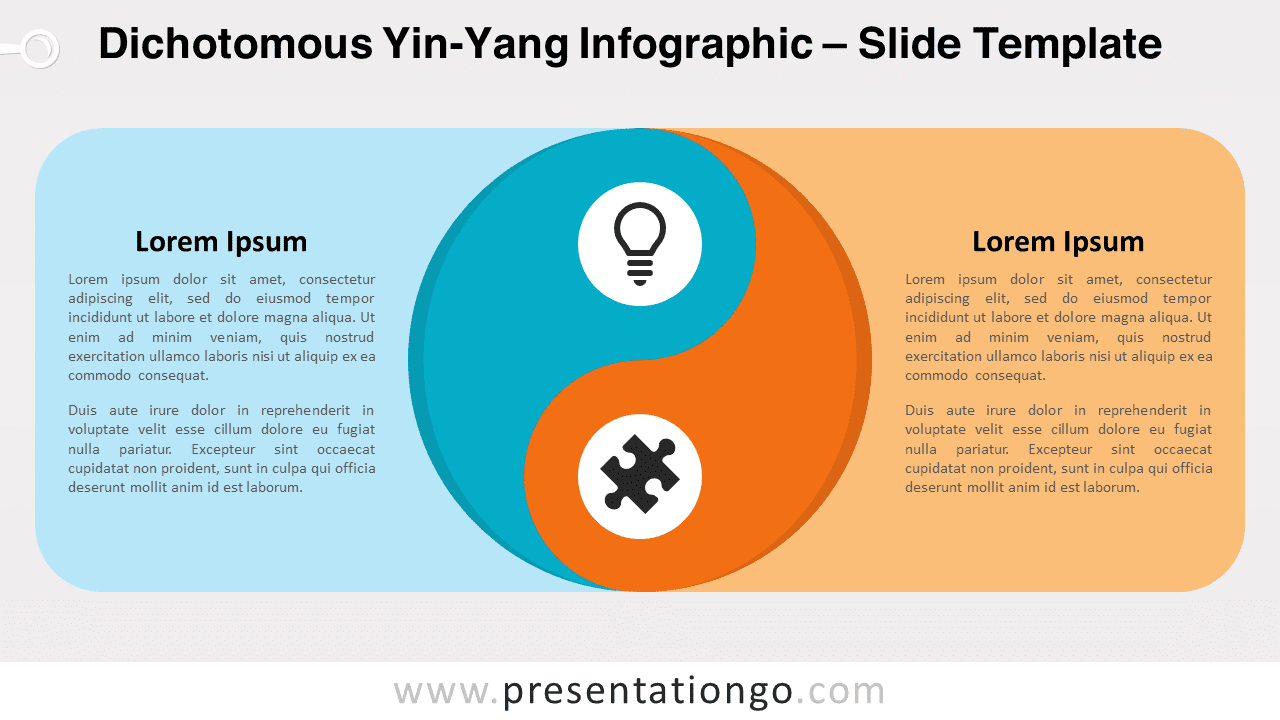
Discover our new Dichotomous Yin-Yang Infographic, an innovative visual design for PowerPoint and Google Slides. It elegantly illustrates dichotomous concepts, making complex ideas digestible and engaging. Embrace the power of dichotomy in your next presentation with our new Dichotomous Yin-Yang Infographic. Our design team has created a unique, visually engaging tool that simplifies complex concepts and ignites audience interest. The infographic features a vibrant yin-yang symbol, traditionally symbolizing balance and duality. On the left, we have a striking turquoise blue, while on the right, an energetic orange illuminates the scene. Each half of the diagram embeds an icon with an accompanying vertical text box that houses a title and a placeholder for further descriptions. Our Dichotomous Yin-Yang Infographic is perfect for illustrating opposing ideas, concepts, or strategies in a presentation. You can leverage this diagram to simplify complicated dichotomies, or to represent contrasting data in a compelling way. Moreover, its versatile design ensures it’s suitable for a wide array of topics, from business strategies and market trends to psychological concepts and philosophical debates. The real beauty of this tool, however, lies in its editability. Colors, icons, and text can be easily customized to fit your needs. Whether you’re presenting on PowerPoint or Google Slides, our infographic offers a seamless integration. In conclusion, our Dichotomous Yin-Yang Infographic is more than a visual aid, it’s a game-changer for effective communication. Don’t just inform, captivate your audience. So, what are you waiting for? Download now and start telling your story in style!
- 来源
- PresentationGo
- 文件格式
- pptx
- 文件大小
- 87 KB
- 下载次数
- 0
- 幻灯片页数
- 2
- 页面比例
- 16:9
作者 / 版权:PresentationGo
原始出处:PresentationGo 原文