 100% 免费
地图PowerPoint谷歌幻灯片
Map of Philippines for PowerPoint and Google Slides
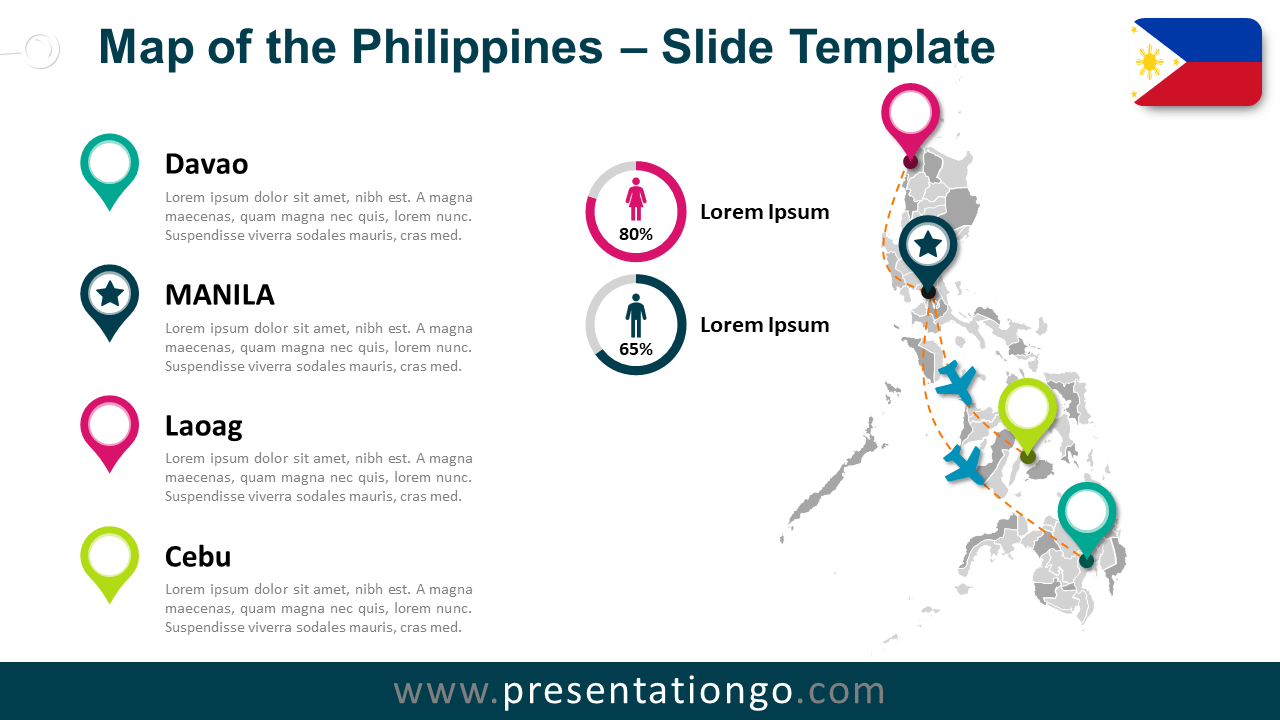
Free map of Philippines for PowerPoint and Google Slides. Editable map of the Philippines and its provinces, colored location pins, and flag.
模板详情
Free map of Philippines for PowerPoint and Google Slides. Map of the Philippines and its provinces, colored location pins, and flag. Fully editable graphics with text placeholders. Are you mapping out your next presentation and feel something is missing? A map of course! This free Philippines Map slide template offers everything you could wish for since it is highly precise and fully editable. The Philippines, officially the Republic of the Philippines, is an archipelagic country in Southeast Asia . The archipelago consists of some 7,100 islands and islets where Manila is the capital. Take your audience on a virtual trip to the Philippines! On this free map, all eighty-one (81) provinces are accurately represented. You can drag and detach, color, and highlight each one of them. Moreover, you can use color pins to mark particular locations (capitals, cities, and places of interest). The slide also includes the official flag of the country and text placeholders to specify your information. Finally, you can enjoy other graphics to showcase all your statistics, travel routes, demographic or geographical facts. Also great to locate your different offices or warehouses. This free map of the Philippines offers both a clean and professional design and customizable slides. It is obviously ideal for history and geography lessons. However, you can use it to present statistics, databases, business, and sales numbers. Thanks to this free Philippines Map slide template for PowerPoint and Google Slides, you will definitely put yourself on the map.
- 来源
- PresentationGo
- 文件格式
- pptx
- 文件大小
- 370 KB
- 下载次数
- 0
- 幻灯片页数
- 2
- 页面比例
- 16:9
作者 / 版权:PresentationGo
原始出处:PresentationGo 原文