 100% Free
Line Process Arrow for PowerPoint and Google Slides
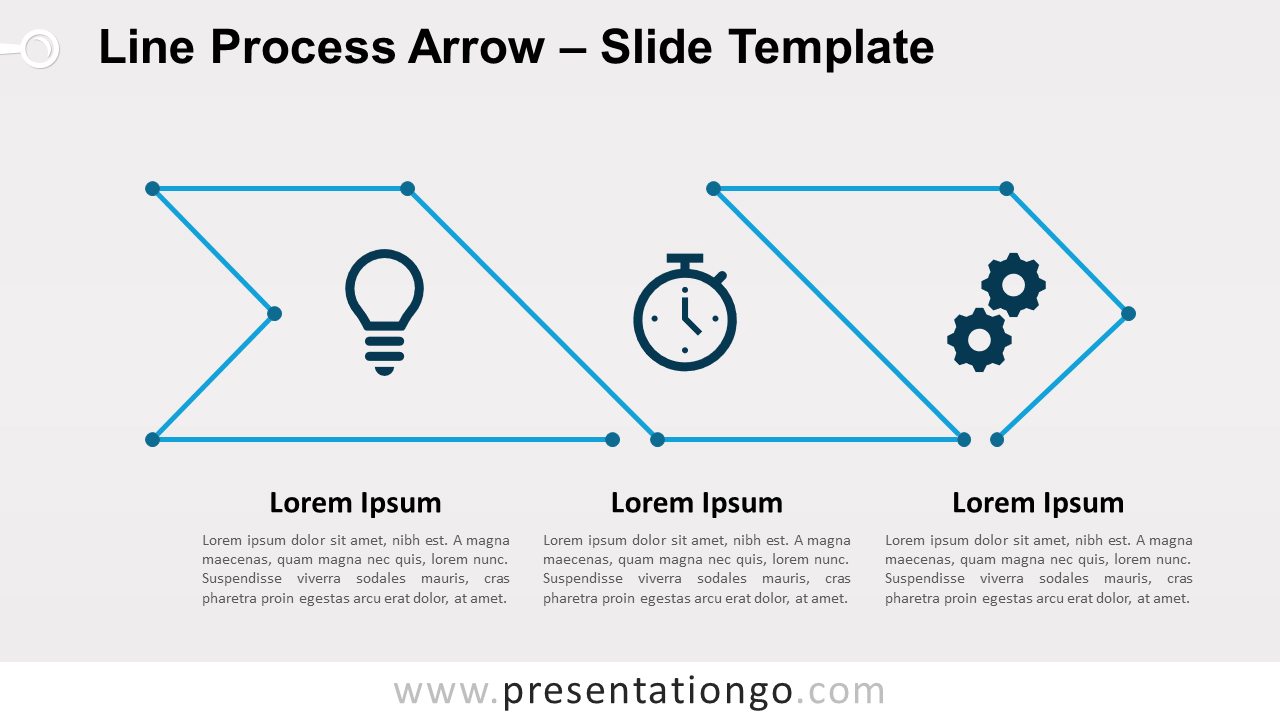
Free line process arrow for PowerPoint and Google Slides. A 3-step continuous arrow process diagram designed with line connectors.
Template Details
Free line process arrow for PowerPoint and Google Slides. A 3-step continuous arrow process diagram designed with line connectors. Editable graphics with icons and text placeholders. No doubt you are going in the right direction! But sometimes the road to your objective can have some twists and turns. You just need to connect the dots and follow the arrow! This free Line Process Arrow template is the diagram that will help you illustrate your linear horizontal process. 3 options , 3 tasks, 3 steps, or 3 stages. That is what this chart is perfect for! Indeed, you can find three parts represented by 3 icons placed inside the main arrow. This arrow is formed by a blue line that connects dots on its way. In case you need to explain your ideas or steps, you can write your titles and texts just below this diagram. Do you want to illustrate a chronologic progression or sequential steps in a task, process, evolution, or workflow? The line design of this free Line Process Arrow template is ideal to show connections (the dots being the connectors) and conversions in a process. Download it now for free!
- Source
- PresentationGo
- Format
- pptx
- File size
- 143 KB
- Downloads
- 0
- Slides
- 2
- Aspect Ratio
- 16:9
Author / Copyright:PresentationGo
Original source:PresentationGo original